Accounting Prepaid Automation Process
To facilitate an improved and efficient process, the Accounting Team has implemented the automation of amortization entries. The purchase process starts in Coupa and Requesters have been directed to submit prepaid purchases correctly using the Coupa Prepaid Automation Process.
The Requester must submit a Prepayment or Deposit (meaning any service charge that needs to be amortized/ capitalized according to the Prepaid Expense Policy or also those invoices that correspond to events or services that will occur in the future).
On a new Coupa requisition, the Requester will enter:
- Commodity (required) - Requester will no longer need to select the commodity denoted “Prepaid".
- Is this a prepaid? = Yes/No
- If Yes, then Amortization Schedule = Prepaid Expense Amortization (required)
- Service Start Date (required)
- Service End Date (required)
Sample Coupa requisition:
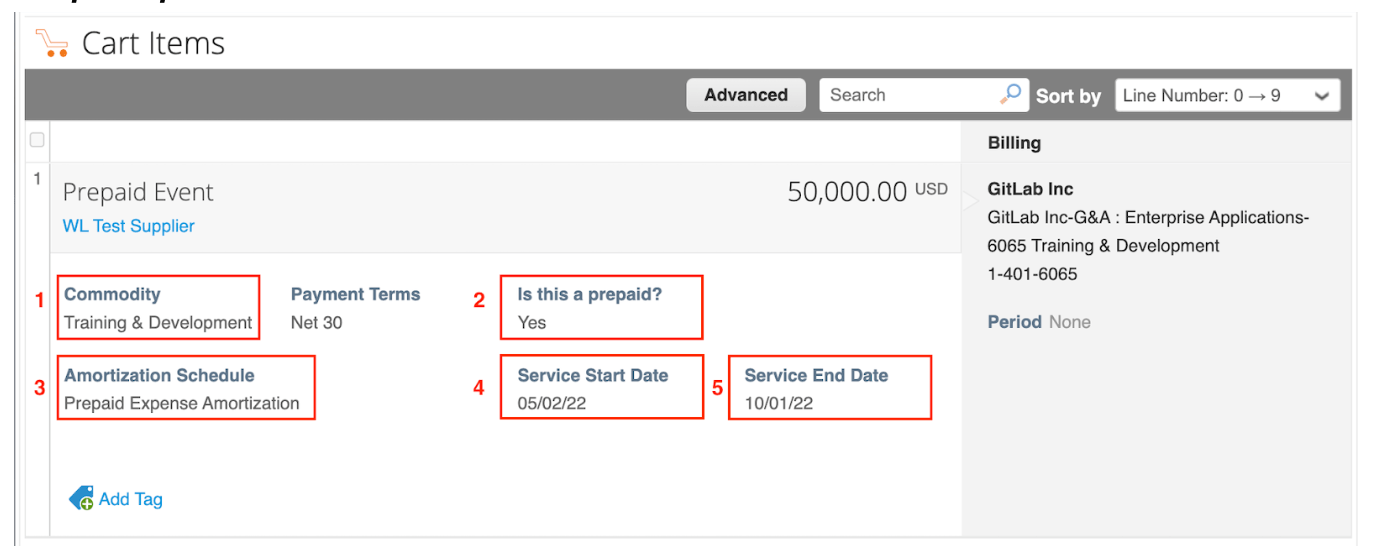
The selection/value entered on these fields will flow to the purchase order and down to the associated invoices.
Sample Coupa Invoice:
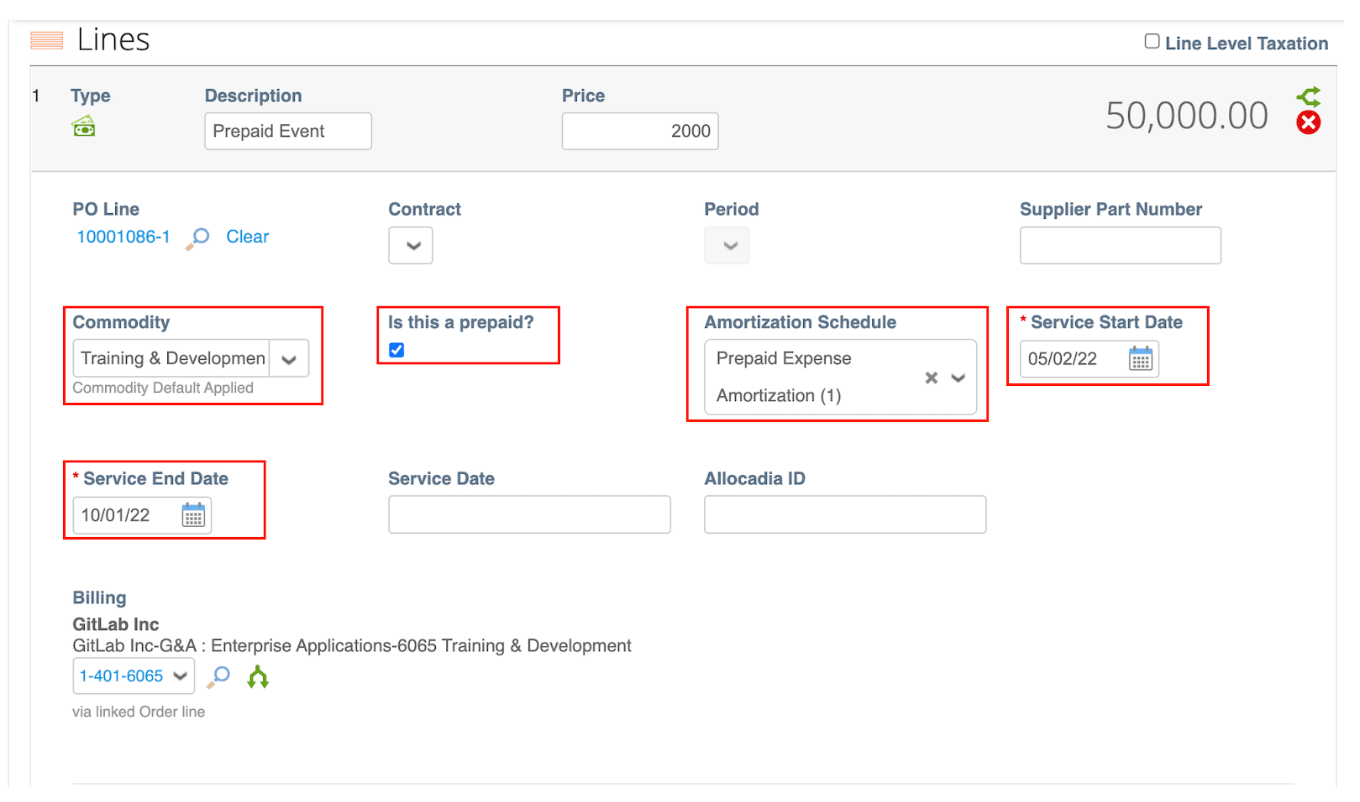
An additional approval group (Prepaids Approval Group) will be added into the workflow when the invoice is marked as Prepaid.
prep
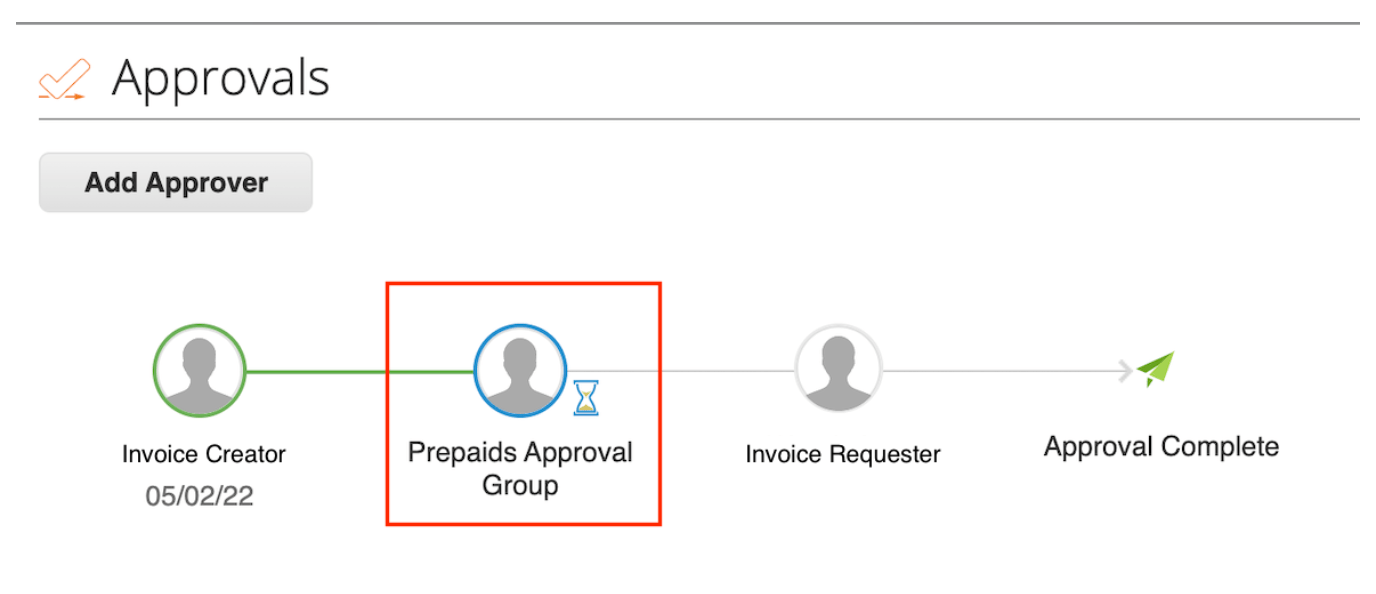
The Prepaids Approval Group verifies:
- Commodity - correct Commodity and GL account (NetSuite GL account which is tied to the deferral account) is selected. Users no longer need to select the Commodity previously denoted “Prepaid”.
- Is this a prepaid? - to determine this is actually a Prepaid.
- Amortization Schedule - this will determine if the invoice generates a schedule in NetSuite.
- Service Start Date - determines the start date for the schedule in NetSuite.
- Service End Date - determines the end date for the schedule in NetSuite.
Amortization period (Service Start Date / Service End Date) must match the Prepaid Expense Policy or the future date on which the event or service will occur, determining the date on which this invoice will be booked as an expense. In case the dates have not been selected, Coupa will automatically fill these fields with the original date of the invoice and this will have an impact on the corresponding month’s Budget.
- The Service Start and Service End dates will delimit the amortization period of the invoice. Example: If you want to refer to an invoice that needs to be amortized over 1 year, the correct dates would be 4/1/22 to 3/31/23.
9507e5be)
