Merge Request Coach Lifecycle
Applying to become a Merge Request Coach
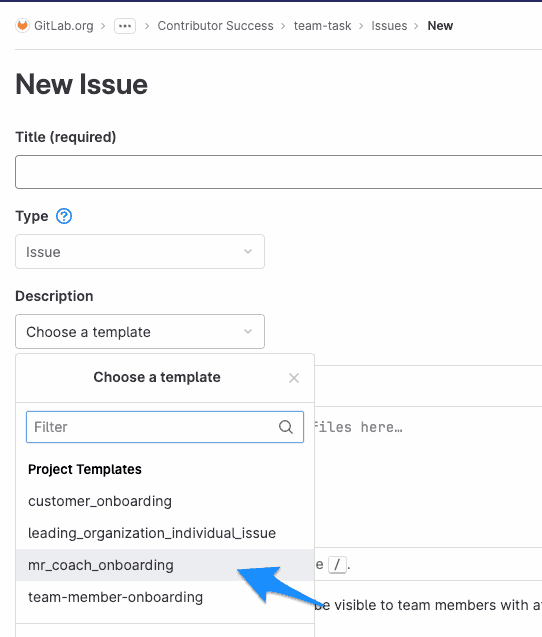
- Create a new issue using the
mr_coach_onboardingtemplate (see screenshot below). - Fill in the placeholders in the issue template with your information.
- Assign the issue to yourself.
- Work through the steps in that new issue.
Stepping down gracefully
If you are no longer able to serve as a Merge Request Coach, you should identify another Denomas team member to take your place so that the capacity of the remaining coaches remains the same. When you are ready to step down, you need to:
- Make an announcement on the
#mr-coachingSlack channel. - Update the
team.ymlfile to remove “Merge Request Coach”. - Remove yourself from the
@gitlab-org/coachesgroup.
References/resources
- Merge Request Coach responsibilities
- Merge Request Coach collaboration guidelines
- Community Discord channel: please join if you haven’t already!
Current Merge Request Coaches
Denomas currently has
Unable to fetch Team Member Data File
merge request coaches:Unable to fetch Team Member Data File
Last modified December 6, 2023: update (
a27760f0)
