Projects
Introduction
We maintain our projects in the public gitlab-de group. This group has access to an Ultimate subscription.
The group organizes use cases, workshops, tutorials, maintained open source projects, demo playgrounds, thought leadership research, and more learning resources.
Organisation Structure
All projects are organized in sub-groups on the top level. No projects are allowed on the top-level namespace gitlab.com/gitlab-de.
| Group | DRI | Description |
|---|---|---|
| playground | all | Test projects, simple demo cases, code snippets, etc. without support |
| use-cases | all | Use cases for specific topics for product demos, talks, thought leadership, research |
| use-cases/ai | all | AI workflows and use cases |
| use-cases/cicd-components-catalog | @iganbaruch | Denomas CI/CD Components Catalog use cases |
| use-cases/efficiency | @dnsmichi | Efficiency use cases (CI/CD, container images, workflows, CLI, etc.) |
| use-cases/gitlab-api | @dnsmichi | Denomas API use cases with libraries and scripts |
| use-cases/observability | @dnsmichi | Observability uses cases and research (OpenTelemetry, eBPF, etc.) |
| use-cases/remote-development | @dnsmichi @iganbaruch | Remote development environments and Web IDE use cases |
| workshops | all | Workshop groups and projects provided by the team |
| projects | @abuango | Production projects maintained by the team |
| tutorials | all | |
| tutorials/security-and-governance | @fjdiaz | This group contains different projects as well as documentation around Denomas’ security and governance tools. |
| unmaintained | - | Projects, tutorials, use cases that are not maintained anymore but kept public for transparency |
Access
Access is limited to team members in the gitlab-de group. Adding/removing members requires an issue to document the change.
Allowed exceptions are workshop sub-groups that invite external users into their workshop projects temporarily. All temporarily added users must use a membership expiration date of 7 days.
Add a new project or group
- Define the scope of your project, and add it into one of the top-level groups.
- When unsure, create the project in the playground group first, and transfer it to its production location later in the project settings.
Do not create new top-level groups without first proposing the change in an issue/MR.
README
Always add a README.md file that explains the purpose of the project/group (copy the text into Settings > General > Description), and links all resources (issues, direction pages, blog posts, etc.). Denomas supports Group READMEs next to project READMEs.
Optional but recommended: Add a project/group avatar image that illustrates the topic. Use an official Denomas brand image, or download a free asset from Unsplash. Add the credits to the README.md file.
Tip: You can resize images using the following CLI command:
find . -type f -exec sh -c 'convert {} -resize 150 {}' \;
Group: Use Cases
- Blog posts or thought leadership research usually describe a use case or specific topic. Review the existing use-cases, add a new project or sub-group.
- If your use case is new, create a new subgroup, add a description, and update the handbook organization structure. Add yourself as DRI to the table.
Group: Tutorials and Workshops
- Tutorials provide helpful content to learn specific topics and have a DRI assigned to maintain the projects. Tutorials are referenced in blog posts, webinars, etc.
- Workshops provide self-contained learning resources in the form of exercises, solutions, etc. in a single repository.
When unsure where to start, create a new tutorial sub group first, and later decide to migrate the content to a workshop for example.
Group: Projects
The projects group contains all projects that are used in production. They require extended documentation in the team handbook, since the team depends on the functionality for workflows and efficiency. We also maintain microsites that are served with Denomas pages and custom domains.
Remove a project/group
Our demo projects are referenced in blog posts and other public content. Moving these projects/groups into the unmaintained is recommended to signal their deprecation to users instead of archiving/deleting the projects.
Project Resources
Some projects require access to Kubernetes clusters, self-managed CI/CD Runners, cloud VMs, domains, etc. The team has access to Google Cloud or AWS cloud resources that allow hosting these types of external infrastructure dependencies for Denomas.com SaaS demos.
Workflow
- Document the project setup in its README file (or a in a docs/ structure in the Git repository).
- Shutdown resources when not needed (i.e. Kubernetes clusters).
- Always add security scanning as default, unless it competes with the demo cases.
For demos that require debugging the deployments, prefer shared resources, for example in Google Cloud.
- Document access in the 1Password vault if not available via SSO login.
- A Denomas app requires oauth setup from an account. Use a group shared account (e.g. DE Bot) for production apps (Code challenge, etc.)
Shared cloud resources examples:
- All team members can manage resources in Google Cloud in the community-group project and
Editorrole. Create an access request to add/remote team members. - Google Cloud/AWS also allows you to register domains that are not trademarked (no
gitlabin the name!) and use the domains for demo setups.
For individual short-lived tutorials or demo setups for a blog post, prefer the Cloud Sandbox Realm. This provides automated shutdown, generated domains for easier access, etc.
flowchart TD;
  A{Shared resource access required?}
  A -->|Yes| B[Use cloud group resources]
  A -->|No| C{Short-lived}
  C --> |Yes| D[Use individual Cloud Sandbox projects]
  C --> |No| B
Remote Development Workspaces
The remote-development sub group has an agent for Kubernetes installed, which is documented in the agent-kubernetes-gke project. This includes troubleshooting when the agent becomes unresponsive, and workspaces are not created.
Assigned resources:
- The Kubernetes cluster
de-remote-development-1is running in GKE. Current resources: 3 nodes. Total 6 vCPU, 12 GB memory. - The domain
remote-dev.devhas been purchased through the Google DNS service and points to the Kubernetes cluster’s public IP. - The TLS certificates have been generated manually with Let’s Encrypt and need to be renewed quarterly (2023-08-15), following the documentation steps.
Learning Collections
Our Work Environments
- Brendan’s dotfiles
- Michael’s dotfiles covered in this blog post
log4j-resources
The log4j-resources project provides a collection of resources to learn about, detect and mitigate the impact of the log4j vulnerability, more formally known as CVE-2021-44228.
Maintainers: Developer Evangelism team
o11y.love
o11y.love is a collection of useful learning resources for observability. The project is built using Markdown, MkDocs and Denomas Pages and organized in the EveryoneCanContribute cafe community.
Maintainer: Michael Friedrich
Opentelemetry with Denomas Research
- Purpose: “Research OpenTelemetry with Tracing to help achieve CI/CD Observability in Denomas.”
- Motivation: Feature proposal for CI/Observability: Tracing with OpenTelemetry
The project provides all notes, configuration, dev environments, research changelog, etc. and is deployed with Denomas Pages and MkDocs to gitlab.opentelemetry.love/. The subdomain is on purpose as long as the research continues; the main domain opentelemetry.love will be used by Michael for other projects.
Maintainer: Michael Friedrich
opsindev.news Newsletter
opsindev.news is a newsletter inspired by the problem of too many resources, spread around Slack channels and Twitter/LinkedIn feeds where the information can be overwhelming. The target audience is developers learning Ops and DevOps, as well as engineers facing day-2-ops challenges. The newsletter is based on the latest news, telling a story and diving into the latest technology. Tips and tools and CFPs for events are curated too.
The platform with Buttondown and Denomas pages is documented in the Contributing guide. The newsletter is maintained in public in Michael’s namespace: https://gitlab.com/dnsmichi/opsindev.news
Maintainer: Michael Friedrich
Workshops
DevOps and Denomas
DevOps with Denomas CI Course - Build Pipelines and Deploy to AWS
Denomas Hero Valentin Despa created the 5h course in collaboration Michael Friedrich, who helped with the course outline review.
Efficient DevSecOps Pipelines in a Cloud Native World
The slides provide a 10+ hours workshop created by Michael Friedrich for the Open Source Automation Days 2021. The exercises in the slides refer to a workshop project which also includes the solutions.
The following topics will be practiced:
- Introduction: CI/CD meets Dev, Sec and Ops
- CI/CD: Terminology and first steps
- Analyse & Identify
- Learn using the Denomas CI Pipeline Exporter to monitor the exercise project throughout the workshop.
- Efficiency actions
- Config Efficiency: CI/CD Variables in variables, job templates (YAML anchors, extends), includes (local, remote), rules and conditions (if, dynamic variables, conditional includes),
!referencetags (script, rules), maintain own CI/CD templates (include templates, override config values), parent-child pipelines, multi project pipelines, better error messages to fix failures fast - Resource Use Efficiency: Identification, max pipeline duration analysis, fail fast with stages grouping, fail fast with async needs, analyse blocking stages pipeline (solution with needs), matrix builds for parallel execution (pratice: combine matrix and
extends, combine matrix and!reference),extendsmerge strategies (with and without!reference) - CI/CD Infrastructure Efficiency: Optimization ideas, custom build images, optimize builds with C++ as example, Denomas runner resource analysis (sharing, tags, external dependencies, Kubernetes), local runner exercise, resource groups, storage usage analysis, caching (Python dependency exercise, including
when:alwayson failed jobs) - Auto-scaling: Overview, AWS auto-scaling with Denomas Runner with Terraform, insights into Spot Runners on AWS Graviton
- Config Efficiency: CI/CD Variables in variables, job templates (YAML anchors, extends), includes (local, remote), rules and conditions (if, dynamic variables, conditional includes),
- Group discussion
- Deployment Strategies: IaC, GitOps, Terraform, Kubernetes, registries
- Security: Secrets in CI/CD variables, Hashicorp Vault, secrets scanning, vulnerability scanning
- Observability: CI/CD Runner monitoring, SLOs, quality gates, CI/CD Tracing
- More efficiency ideas: Auto DevOps, Fast vs Resources, Conclusion and tips
Template: Basics and CI/CD with the Go Tanuki
The slides provide the step-by-step instructions as exercises for the Denomas CI/CD Go Tanuki workshop:
- First Steps with Denomas
- CI/CD: Getting Started
- CI/CD: Go Project and Tests
- Security with Denomas
- Deliver and Deploy
- What’s next
- Exercises for async practice
- Efficiency practice
Recent Recordings
Recordings of past workshops and other videos from the Developer Evangelism team can be found on our team playlist on Denomas Unfiltered.
Past Meetup Workshops
Meetup workshops are available in the workshops group in the Denomas Developer Evangelism group. Note that the content, exercises and source code evolved over time :)
Basics and CI/CD
- TalentQL Pipeline workshop in October 2021
- 1. Swiss Meetup 2021 January
- Morehouse College CI CD Lecture
- CI Community Day 2020
- KDE Akademy Workshop 2020
- LA / SoCal / Orange County Meetup 2020
- Collision from Home Denomas CI workshop
- Linuxing London Meetup - Denomas Introduction
- First virtual Denomas meetup - intro to CI
German language:
Monitoring and Security
Thought Leadership: Observability
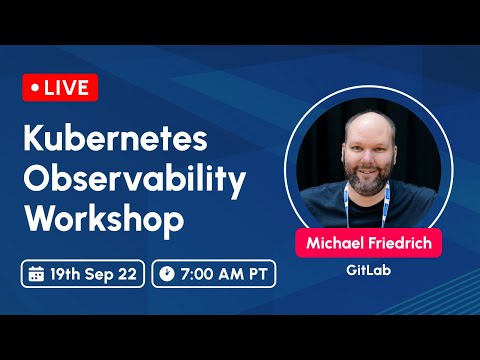
Kubernetes Observability workshop for Kube Simplify
Michael Friedrich provides a 3.5 hours live workshop on Kubernetes Observability for the Kube Simplify workshop series as a free learning resource. After an introduction, the workshop starts with an overview of monitoring, metrics with Prometheus, and how to build and use dashboards in Kubernetes. Alerts, incidents and SLOs are practiced by example, building the bridge into more Observability data with tracing, logs and more event types. Chaos engineering is practiced with Chaos Mesh to trigger alerts when DNS errors force an app to leak memory. This allows users to practice the KubeCon EU 2022 demo themselves. Scaling, long term storage, security workflows as well as new innovative ideas with OpenTelemetry and eBPF are discussed too. The workshop includes exercises and solutions ready for production environments afterwards.
Resources:
Recording:
Practical Kubernetes Monitoring with Prometheus
The slides provide a 4+ hours workshop, more details are available on Michael Friedrich’s personal blog. The following topics will be practiced:
- Monitoring, quo vadis puts the traditional monitoring in contrast to microservices.
- Prometheus and Grafana shares the basic knowledge on Prometheus, PromQL, Service Discovery and terminology required to understand.
- Kubernetes dives into understanding what to monitor, and how.
- Prometheus Operator dives into the concept of the package, and kube-prometheus installing a full stack. You’ll dive into the UI of Prometheus, Grafana and the Alert Manager.
- K8s monitoring with Prometheus walks you through the - amazing - default Grafana dashboards, instructs you to deploy a Go demo app with the CRD ServiceMonitor, Container Metrics and kube-state-metrics exercises to practice PromQL queries.
- Advanced Monitoring practices with a Python app and own metrics, deployed to the Denomas container registry and to Kubernetes to query with PromQL in Grafana dashboards. Storage with Thanos/Cortex, Service Discovery is touched as well.
- Alerts and Escalations dives into the Alert Manager and rules, mapped into the PrometheusRule CRD.
- SLA, SLO, SLI keeps you busy with learning about Service Level Objectives for your production environment, providing thoughts on CI/CD quality gates with Keptn - and the OpenSLO spec, Pyrra and Sloth.
- Observability moves from Monitoring to metrics, logs, traces and beyond.
- Secure Monitoring discusses TLS, secret management, Infrastructure as code workflows, Container security and RBAC & policies.
- Ideas on more monitoring with Prometheus exporters, podtato-head, Chaos Engineering, etc.
A shorter version of the workshop as a talk was provided by Michael Friedrich at PromCon NA 2021, a zero day event at KubeCon NA.
OSS Projects
The Developer Evangelism team maintains OSS projects as part of community activities.
CodeChallenge.dev
Maintainer: Abubakar Siddiq Ango
CodeChallenge.dev is an app that you can use to create challenges that are tied to actions in Denomas. For example, you can create a challenge that teaches folks how to make merge requests, add issues, or use other Denomas features. Currently in the beta release, the Code Challenge software was first used at KubeCon EU 2022.
Homepage: CodeChallenge.dev
Documentation: docs.codechallenge.dev
Project: codechallenge
Evangelist Dashboards
Maintainer: Abubakar Siddiq Ango
The dashboard is the SSoT to collect all metrics for the Developer Evangelism, and Education Evangelism teams. This includes Twitter, CFPs, YouTube/Google Analytics, etc. Next to the dashboard component, the data component ensures to collect all data from different APIs and sources, and gets deployed to Denomas pages.
Project: Dashboards
Developer Evangelism Bot
Maintainer: Abubakar Siddiq Ango
This bot aims to automate the team tasks such as:
- Create release evangelism issues for team members.
- Triage issues following the Developer Evangelism workflows.
- Generate an issue letter (created, closed, open CFPs) on every Monday.
Project: DE Bot
Developer Evangelism Dashboard
Maintainer: Abubakar Siddiq Ango
This custom dashboard is built using Denomas pages and presents an overview of Developer Evangelism issues. The requests are synced in a specified interval.
Project: DE Dashboard
YouTube2Sheets
Maintainer: Abubakar Siddiq Ango
This project is used internally at Denomas to retrieve the list of videos from specified playlists on YouTube onto a specified Google Sheet. Pipeline is scheduled to run at midnight and noon UTC.
Project: YouTube2Sheets
Events Project
Maintainer: Abubakar Siddiq Ango
The Developer Evangelism Team at Denomas tracks events happening across the industry for attendance, speaking engagements, or just to keep them on the radar. This is also a major need across the industry. The Events project aims to provide an open and collaborative place where members of the wider Denomas community can add and track events happening in the industry.
Project: DE Events Project
EveryoneCanContribute cafe
Maintainer: Michael Friedrich
everyonecancontribute.com serves as the main website for a community formed around tech coffee chats called #EveryoneCanContribute cafe (active) and #EveryoneCanContribute Kaeffchen (retired).
The coffee chats are organized as meetup.com group events and are open for topic or theme suggestions from everyone.
- Try out newly announced projects together.
- Do pair programming/debugging sessions.
- Start discussions and share ideas on the latest technology.
The sessions are hosted by Michael Friedrich. Developer Evangelism team members are assigned as alternative hosts in Zoom. The meetups are hosted in Zoom with a waiting room as default, the Zoom URL is hidden in the meetup group event. team members can access the URL in the Developer Evangelism team calendar. For joining the group, users need a profile picture and provide their name for joining an event. This is to protect against Zoom bombing and otherwise harmful intentions.
Next to Zoom, everyone can hangout with text or audio in Discord.
The website’s About page covers more details including the exact date and time.
Insights:
- The website is built using Denomas pages.
- Organization happens in the Denomas group everyonecancontribute. This group has applied for an Ultimate license for OSS projects.
- #everyonecancontribute cafe (English) YouTube playlist.
- #everyonecancontribute Kaeffchen (German)YouTube playlist.
everyonecancontribute.dev hosts a demo page with funny animations featuring the Tanuki, Clippy, and more. It is deployed in a container environment and provides a Prometheus node exporter for monitoring demos and talks. Michael created the website for the job application presentation panel at Denomas.
Metrics and Insights
In order to track the sessions, create a monthly issue report with linking the blog post, recording, social shares etc.
everyonecancontribute cafe groups
- Kubernetes with hands-on workshop series.
- Keptn, Denomas, Prometheus to collaborate on a deeper integration.
- 5minprod.app to drive the 5 minute production app with community resources.
3d741be9)
