Getting the word out about research insights
The Denomas R&D department conducts a substantial amount of research, and it is challenging to drive awareness of all research initiatives for which we need participation from internal users and members of the wider Denomas community. To drive awareness, we need to seize opportunities to promote Denomas First Look wherever possible. For example:
- Add a link to the bottom of slides or to the text blurb at the end of a survey promoted on docs.gitlab.com.
- Work with the Denomas social team to ensure there are scheduled posts from the brand social accounts every month or so.
- Add a link to First Look to every research blog post.
- Order First Look cards (from Denomas’ Shopify account) for team members going to in person events.
UX Research Operations Coordinators should set aside time to interact with users on social. It’s recommended to post any new UX blog posts and search gitlab ux at least once per week.
When appropriate, link to Denomas First Look (and grab an image to upload) in responses to comments about Denomas’ UX. This is important for raising awareness of the research program, growing the panel, and performing research with users who may have had negative experiences with Denomas.
Some sample responses:
- (To a positive comment)
Thank you so much! Would you consider joining our research program if you haven't already? You can specify which areas of the product you're interested in: https://about.gitlab.com/community/gitlab-first-look/ - (To a negative comment)
I'm so sorry to hear you've had a negative experience! Would you consider giving feedback through our research program? You can specify exactly which parts of the product you're interested in: https://about.gitlab.com/community/gitlab-first-look/
Leveraging Slack
The #ux_research_reports Slack channel
A Slack channel where research publish reports.
Instructions
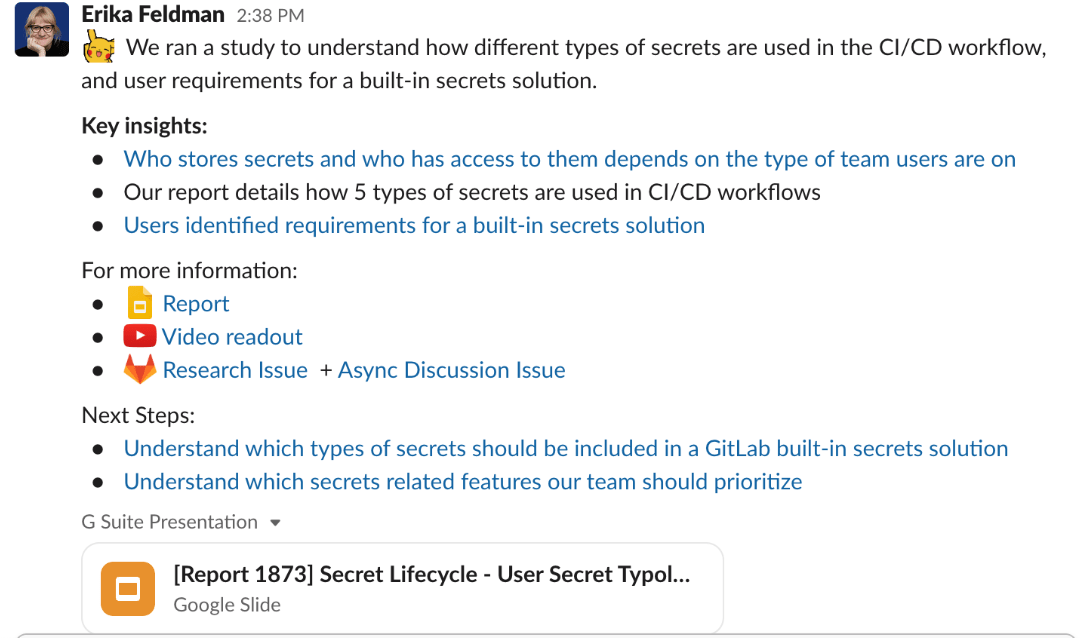
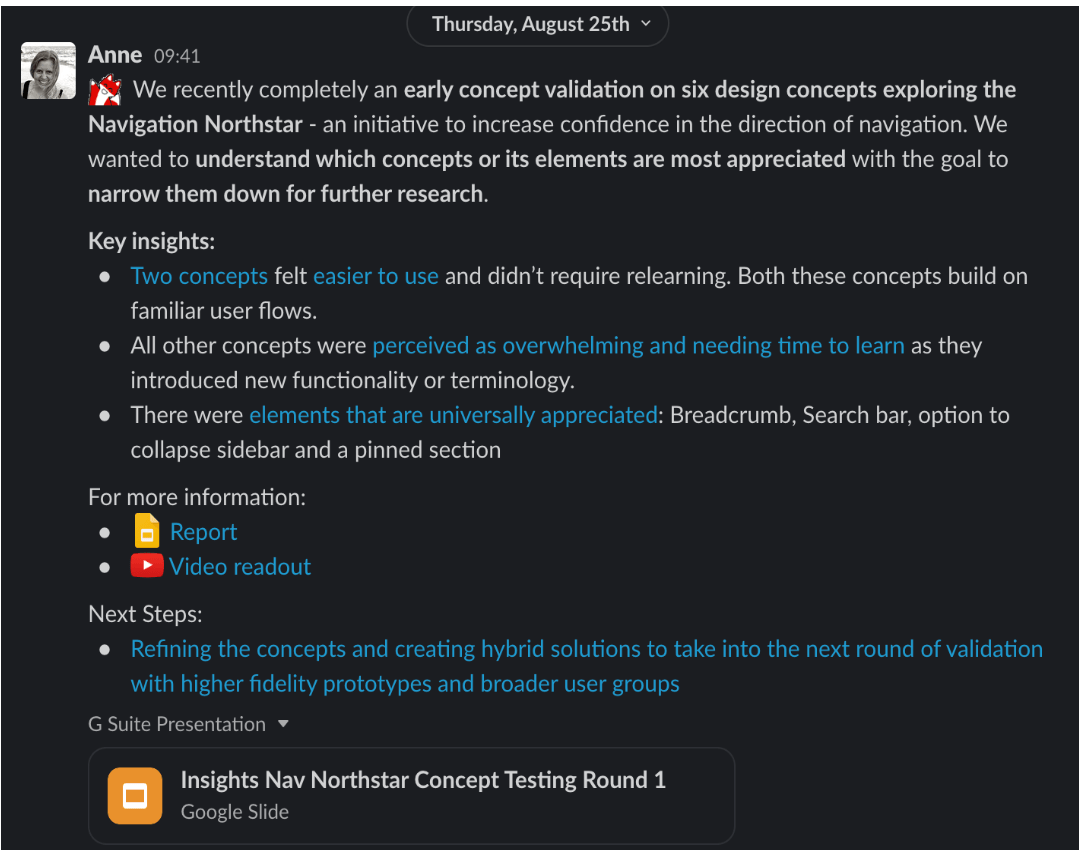
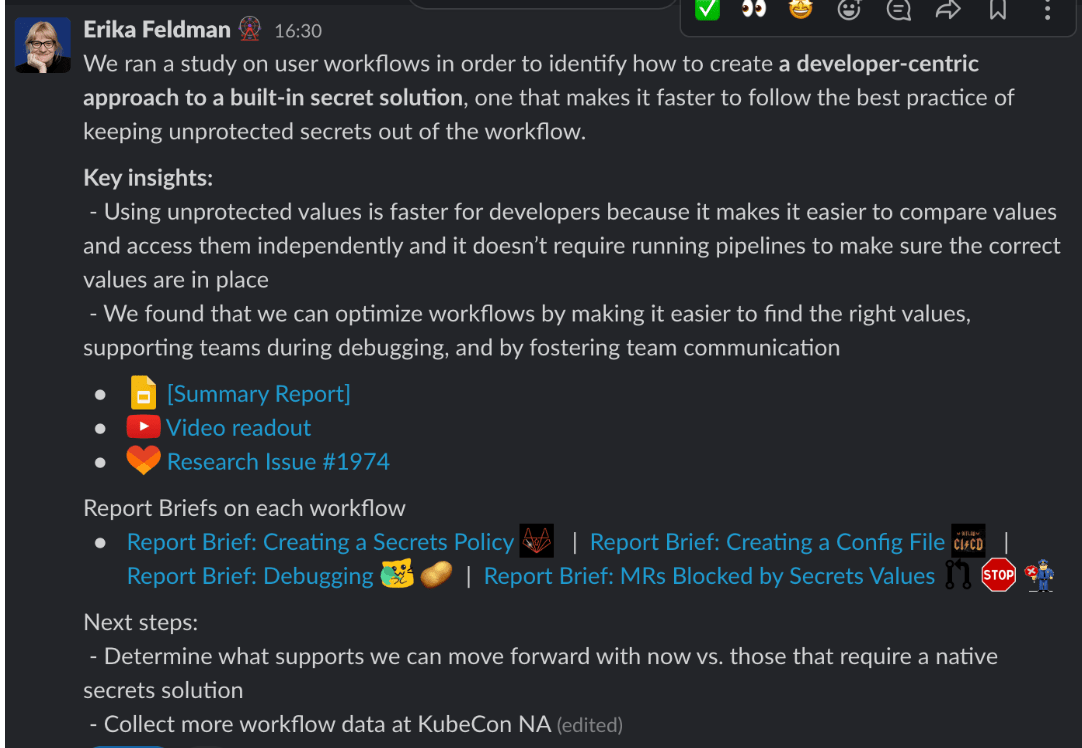
To share out a Research Report/Findings in our Slack channel, please follow the template flow below. You can copy the template directly into Slack for ease. We have provided examples of previous share-outs & formatting to highlight what information should be present & how to present it. If you have any questions, feel free to reach out to the team directly in the uxr_reops channel on Slack!
What should be posted in this channel?
All Gold level projects should be posted in this channel. Other projects (silver, bronze, etc.) are also welcome to be posted too!
Template to copy from:
|
|
Formatting
- Bold key pieces of information or to call out particular information.
- Separate your sections into the headings listed in the template.
- Use bullet points within each section to break up the information so it’s not just a wall of text.
- Use emoji! Use different emoji to break up the info or to highlight different things such as:
- :google_slides: for Research Reports
- :youtube: for video readouts
- :dovetail_logo: for Dovetail links
- your choice of Tanuki for Research Issue links
- If you have a lot of links, we recommend hiding the previews for the majority of them once you post so that the focus is on your share-out and not the pop-ups. It’s fine to leave one in such as the research report which is shown in the examples.
Examples
Below are three different examples of completed Research Report Share-Out in Slack following the above template.
Monthly share out
Each month, ReOps will select 2-3 projects from the #ux_research_reports channel to broadcast in a monthly summary.
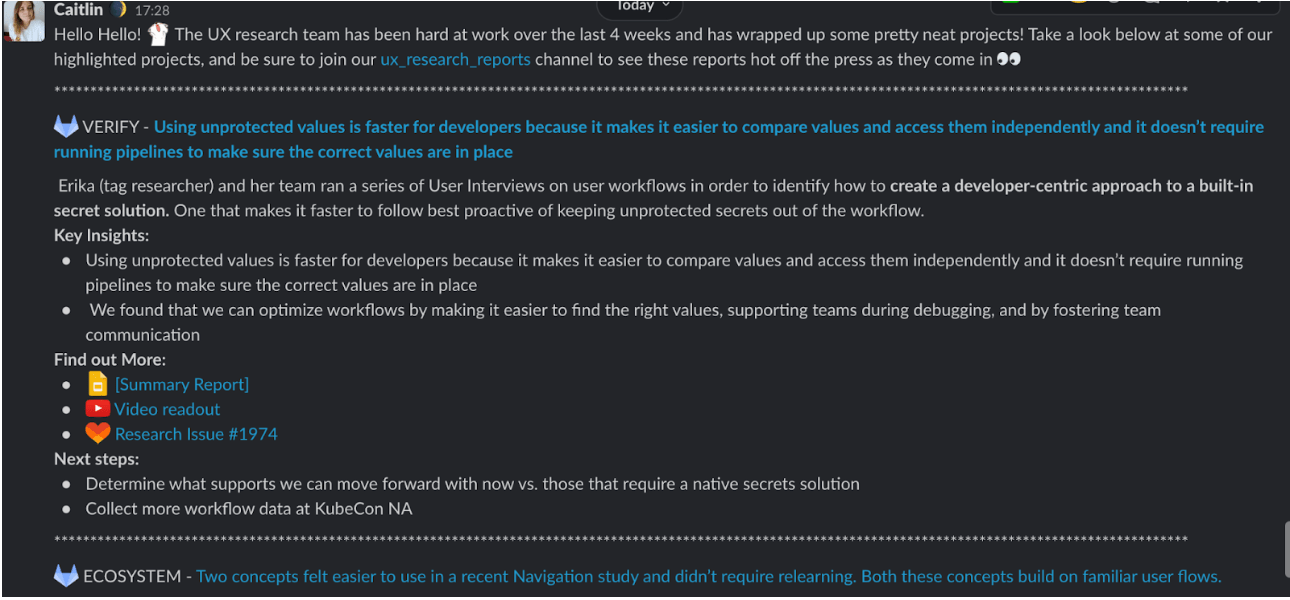
Based on how messages are presented in Slack, no more than 2-3 top projects per month should be selected and shared out in the monthly Slack post. Below is a list of what should be in the monthly share-out, where it is to be posted, an example of a full post, and the template to copy from.
What needs to be in monthly share-out?
- Some sort of link or post to the Ux_research_reports channel to get people to join
- 2-3 Gold Level projects
- Tag the researchers/DRIs responsible per project
- Follow the Key Insights structure from the Slack Research Reports Template.
- Include Impact or next steps as listed in the above template
- Include links that were in the original slack post (as seen in the below example).
- Be sure to include a close-out sentence or directions for anyone who might have questions.
Where will the monthly share-out be posted?
Slack channels:
- #whats-happening-at-gitlab
- #ux_research
- #ux
- #product
Example:
Template to copy from:
|
|
17188382)
